
Mastering Digital Painting in Rebelle 8 Pro with Wacom Art Pen 2
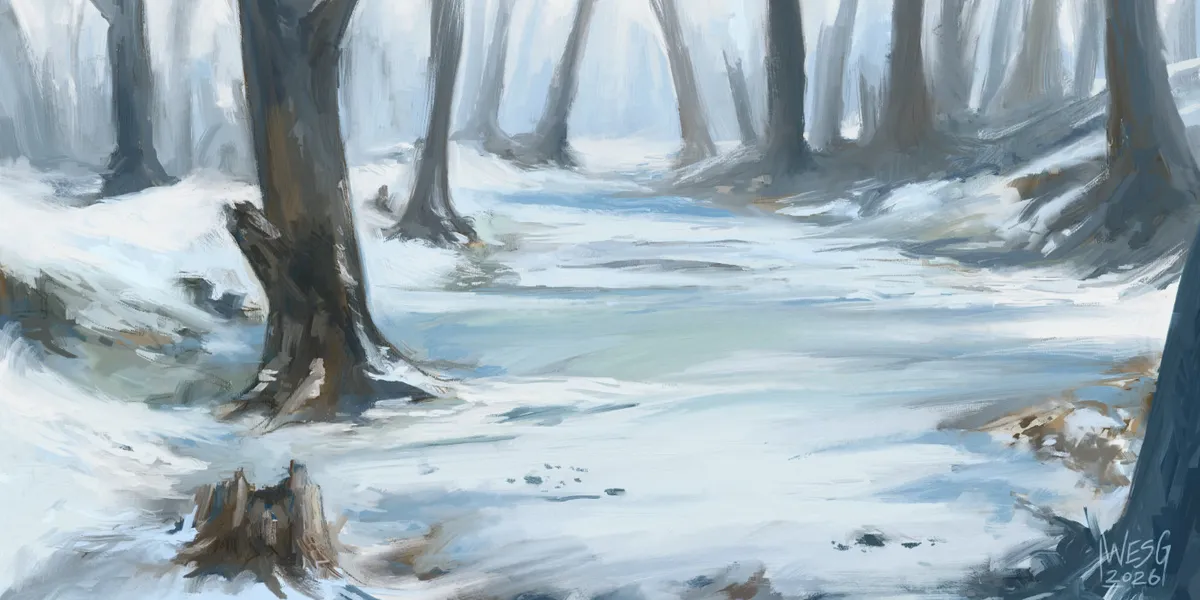
Professional illustrator Wes Gardner provides a comprehensive three-part tutorial series on creating traditional-style digital paintings using Rebelle 8 Pro and Wacom hardware. The guide covers essential techniques ranging from foundational underpainting to advanced color application and edge control.
Establishing a Traditional Foundation
Begin your digital workflow by creating an underpainting to map out values and composition, which provides a stable base for subsequent layers. ## Applying Color and Depth Introduce color harmony by layering hues over your underpainting, utilizing blending modes and temperature shifts to bring the scene to life. ## Refining with Edge Control Finalize your artwork by manipulating hard and soft edges to direct the viewer's focus and create a sense of depth. ## Utilizing Advanced Hardware Incorporate tools like the Wacom Art Pen 2 to leverage barrel rotation and pressure sensitivity for a tactile, impressionistic painting experience.